2026 Top Solar Flood Lights Why Are They Not Bright?

Time:2026-09-27 Author:Sienna
0%

Solar floodlights promise security, convenience, and lower electricity use. Yet many owners eventually ask, “why are my solar flood lights not bright?” The answer is rarely a single defect. Panel exposure, battery age, LED quality, motion settings, weather, and advertised lumen ratings all matter.

The IEA Photovoltaic Power Systems Programme identifies shading, orientation, temperature, and system design as important factors in solar performance. The U.S. Department of Energy also explains that solar lighting depends on sufficient daylight reaching the photovoltaic panel. A panel under tree cover may appear clean, yet receive only weak afternoon sunlight. That hidden loss can reduce nighttime output dramatically.

Lighting scientist Ian Ashdown has stated, “Brightness is a visual sensation, not a measured quantity.” This distinction matters. Lumens describe emitted light, while brightness depends on distance, beam angle, surface reflectance, and human vision. A 2,000-lumen claim may describe a short peak, not sustained overnight illumination.

Small details often reveal the problem. A dusty panel, loose cable, or swollen battery can weaken performance. Cold weather may reduce battery capacity, while repeated cloudy days leave little stored energy. I once assumed a brighter specification guaranteed better security lighting. That assumption was wrong.

This 2026 guide examines practical causes, test methods, and realistic replacement choices. It compares panel size, battery chemistry, LED optics, sensor timing, and weather resistance. It also separates genuine engineering limits from exaggerated marketing language. Some conclusions may be inconvenient. A larger light is not always better. Proper placement often matters more.
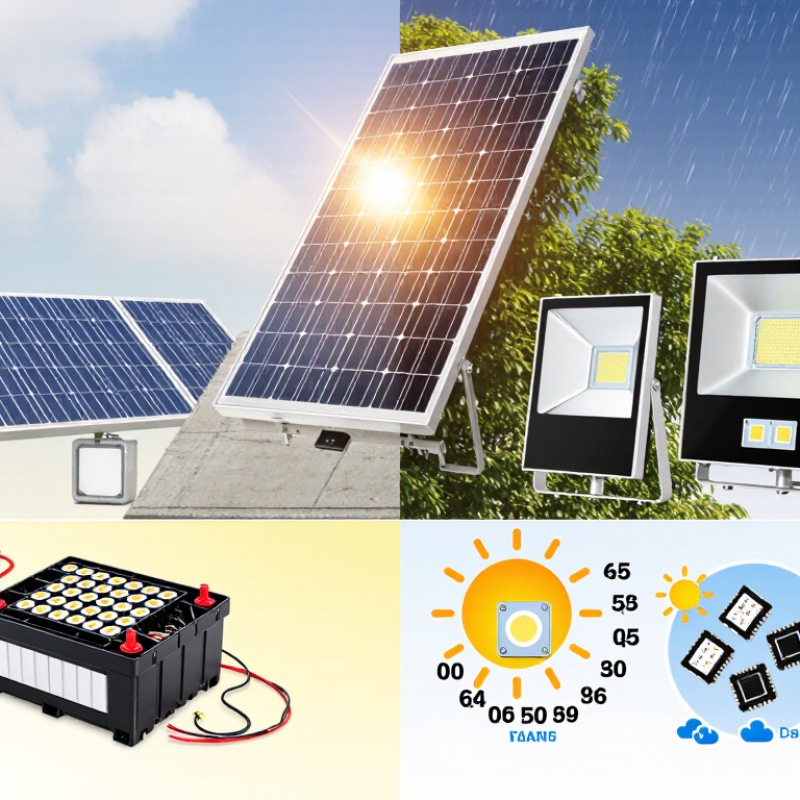
2026 Top Solar Flood Lights Why Are They Not Bright?

How Solar Flood Lights Produce and Deliver Brightness

2026 Top Solar Flood Lights: Why Are They Not Bright?

Solar flood lights deliver brightness through a chain: the panel harvests sunlight, the battery stores energy, and the driver powers the LEDs. The LED’s lumen rating describes total light output, while beam angle determines how widely that light spreads. A narrow beam can look intense on a wall but leave the edges of a driveway dark. That is the catch. A high lumen number alone does not guarantee useful coverage.

The U.S. Department of Energy’s Energy Saver guidance says LEDs use at least 75% less energy than incandescent lighting. This efficiency helps explain how a small battery can power a bright fixture, but it cannot overcome limited charging. Shade, short winter days, a dirty panel, or a battery near the end of its life can all reduce output. NREL’s PVWatts tool also models solar production using location and weather data, reinforcing a practical point: sunlight conditions matter. I would treat advertised brightness as a best-case figure, not a nightly promise.

Tips: Wipe the panel clean and aim it toward open sky. Check the light after dusk, then compare brightness after a full sunny-day charge. If the center is bright but the ground stays dim, inspect the beam angle and mounting height—not just the lumen rating.

Common Reasons Solar Flood Lights Appear Dim

Solar flood lights often look dim because their batteries never receive a full charge. A panel shaded by a roof edge, covered in dust, or facing away from midday sun can collect less energy. Short winter days and several cloudy afternoons make the effect obvious after dusk. Even a clean panel may struggle if the light runs too many hours nightly.

Battery wear is another common cause. NREL’s review of photovoltaic field data found a median module degradation rate of about 0.5% per year. That figure describes solar modules, not whole floodlights, but it shows why aging components can gradually reduce output. IEA PVPS Task 13’s 2022 soiling assessment also documents how dust and site conditions affect solar-system performance. A thin film of grime matters. Check the panel, then inspect battery age and charging connections.

Some lights are dim because their lumen rating describes peak output, not sustained brightness. Motion sensors, low-power modes, and poor placement can also change what you see. Test the light after a full sunny day, with the panel clean and the sensor set correctly. Compare brightness at the same distance each night; a quick glance can mislead. If output remains weak, the battery may be tired, though replacing it is not always the answer.

How to Diagnose Brightness Problems Step by Step

When a solar floodlight looks weak, check the charging path before replacing parts. Inspect the panel for dust, bird marks, or shade from a branch. Even a narrow shadow can reduce charging. Wipe the panel with a damp cloth, then check that it receives several hours of direct sunlight. Small details matter.

Next, inspect the cable and connectors for looseness, dirt, or trapped water. Confirm the panel is connected firmly and the battery compartment is dry. After cloudy weather, give the light one or two clear days before judging its output; stored energy may simply be low. It is easy to blame the battery too soon. I have done that.

Then check the operating mode. A dim setting, motion sensor, or dusk sensor can make the lamp seem faulty. Test it in darkness, and walk through the sensor’s detection area rather than standing directly beneath it. If the light starts bright but fades quickly, the battery may be worn or undercharged. If it stays dim, compare its settings with the manual and inspect the panel placement again. Change one condition at a time, and note the result; otherwise, the cause can remain unclear.

Ways to Restore or Improve Light Output

Solar flood lights can look weak when their panel receives less direct sunlight. Dirt, pollen, and dust reduce charging. Clean the panel and lamp lens with a soft, damp cloth, then dry them fully. A small fix can help. Move the panel away from roof shadows, fences, or branches. Aim for several hours of direct daylight; charging needs vary by model and season. After cloudy days, allow a sunny day before judging brightness. That wait is easy to skip.

At dusk, check whether the lamp is set to a dim or motion-only mode. Increase brightness or motion sensitivity only as needed; higher settings use stored energy faster. Test the sensor from its intended approach, not directly beneath the fixture. Trim growth that blocks the panel or casts shadows. If output stays weak after sunny charging, the rechargeable battery may be aging. Use only the replacement type specified in the manual, and follow its instructions for opening and resealing the unit. A poor seal can let moisture in. If wires look damaged, stop using the light and seek qualified repair.

2026 Top Solar Flood Lights: Why Are They Not Bright? — Ways to Restore or Improve Light Output

Possible cause What to check How to improve light output What to expect
Insufficient solar charging Check whether the panel receives several hours of unobstructed daylight. Note shade from trees, eaves, walls, or seasonal foliage. Move or angle the panel toward the sun; avoid shaded locations. Allow a full sunny day to recharge before judging performance. A fuller battery can restore brightness and extend operation, though results depend on weather, panel size, and the light’s settings.
Dust, dirt, or snow on the panel Inspect the panel for grime, leaves, bird droppings, or snow that blocks sunlight. Clean the panel gently with a soft, damp cloth. Do not use abrasive cleaners or scrape the surface. Improved light is possible if reduced charging was caused by a dirty or covered panel.
Low-power mode or incorrect settings Review the selected brightness, motion-sensor, dusk-to-dawn, and operating modes. Some lights reduce output to conserve energy. Select the desired mode and adjust sensitivity or illumination time according to the user manual. Higher brightness may shorten runtime because it uses more stored energy.
Battery wear or poor battery connection If the light is still dim after a sunny recharge, check the battery compartment and connections if the design allows access. Reseat loose connections. Replace a worn battery only with the type and specification stated in the product manual. A serviceable battery in good condition can help the light maintain output for longer; sealed units may require manufacturer-approved service or replacement.
Cold, cloudy, or short winter days Consider recent weather and seasonal daylight. Cloud cover reduces the sunlight available for charging, and cold can affect battery performance. Keep the panel clear and positioned for the available sun. Use a lower-brightness or motion-triggered mode when longer runtime matters. Output and runtime may vary by season; a few cloudy days can leave less energy stored for nighttime use.
Panel or light head is poorly positioned Check whether the panel faces a bright part of the sky and whether the lamp points at the intended area. Adjust the panel and lamp head separately where possible. Avoid aiming the sensor directly at heat sources or moving vegetation. Better alignment can improve charging and put more light where it is needed without changing the lamp’s rated output.
Sensor, wiring, or component fault Look for damaged cables, water ingress, flickering, failed LEDs, or a sensor that does not respond consistently. Turn the unit off before inspection. Follow the manual for resets or troubleshooting; seek qualified service for damaged electrical parts. Cleaning or resetting may resolve a control issue; damaged or failed components may need repair or replacement.
Unrealistic brightness expectations Compare the light’s published lumen rating and coverage with the area being illuminated. Lumens measure total light output; lux depends on distance and beam spread. Mount the light at the recommended height and aim it at the target area. For a larger area, choose a suitably rated fixture rather than expecting adjustments to increase its maximum output. A solar flood light has a maximum output set by its design; positioning can improve useful coverage but cannot raise that limit.

Note: Solar-light performance varies with panel exposure, weather, battery condition, operating mode, and product design. Follow the product manual for charging, cleaning, battery replacement, and safety instructions.

Choosing and Maintaining a Brighter Solar Flood Light

2026 Top Solar Flood Lights Why Are They Not Bright?

Choosing and Maintaining a Brighter Solar Flood Light

A solar flood light may look dim because its panel receives too little direct sunlight. Shade from eaves, trees, or a nearby fence can reduce charging time. Dust and bird marks also block sunlight. Check the panel at midday, when shadows are easy to spot. Small details matter. Battery age, cold weather, and long periods of cloudy skies can also reduce nighttime output. A high lumen rating alone does not guarantee a bright beam; beam angle and mounting height affect how light reaches the ground.

Choose a model with a panel and battery suited to your intended runtime and location. Compare lumen output and motion-sensor settings, not just the product’s headline rating. A wide beam can cover a driveway, while a narrower beam may better illuminate a gate. Aim the fixture toward the area that needs light, then test it after dark. The first position may not be the best one.

Tips: Wipe the panel with a soft, damp cloth every few weeks. Keep it clear of new shade, and check that the sensor faces the approach. Let the battery charge through several sunny days before judging performance. If the light still fades quickly, review its settings and battery condition; I might overlook a small switch myself.

FAQS

Why does my solar flood light look dim at night?

The panel may receive too little direct sunlight, or the battery may be aging. Dust, shade, cold weather, and cloudy days can also reduce output.

How can I tell whether the panel is shaded?

Check it around midday. Look for shadows from eaves, branches, or fences, and move the panel into a sunnier spot if possible.

What is a safe way to clean the panel and lens?

Wipe both with a soft, damp cloth, then dry them fully. Even a thin layer of dust or pollen can affect charging.

Do motion settings affect brightness?

Yes. Dim modes and motion-only settings can make the light seem weaker. Higher brightness or sensitivity may use stored energy faster.

How should I test brightness fairly?

Let the panel charge through a sunny day. Test at the same distance each night, with the sensor set as intended. A quick glance can mislead.

Does a high lumen rating guarantee a bright area?

No. Beam angle and mounting height matter too. A wide beam may suit a driveway; a narrower beam can highlight a gate.

When might the battery need attention?

If the light stays weak after sunny charging, the rechargeable battery may be worn. Check the manual before replacing it; the specified type matters.

What should I do if wires look damaged?

Stop using the light and seek qualified repair. If opening the unit for battery replacement, follow the instructions and reseal it carefully to keep moisture out.

Conclusion

Solar flood lights turn sunlight into stored energy during the day and use that energy to power LEDs after dark. Their brightness depends on factors such as panel exposure, battery condition, charging time, LED output, and the light’s settings. If you are wondering, “why are my solar flood lights not bright,” common causes include shade or dirt on the panel, cloudy weather, a partially charged or aging battery, incorrect positioning, and motion-sensor or dimming modes.

To diagnose the problem, clean the panel, check its sun exposure, confirm the settings, and allow the light to charge fully before testing it at night. If output remains weak, inspect the battery and connections according to the product instructions. Better performance may come from repositioning the light, replacing a worn battery when appropriate, or choosing a model with a suitable panel, battery capacity, and brightness for the area. Regular cleaning and seasonal adjustments can help maintain dependable light output.

Sienna

Sienna

Sienna is a skilled marketing professional with a deep expertise in our company’s core products and services. With a passion for innovation and detail, she plays a pivotal role in crafting insightful blog posts that not only highlight the unique features of our offerings but also provide valuable......